
Introduction
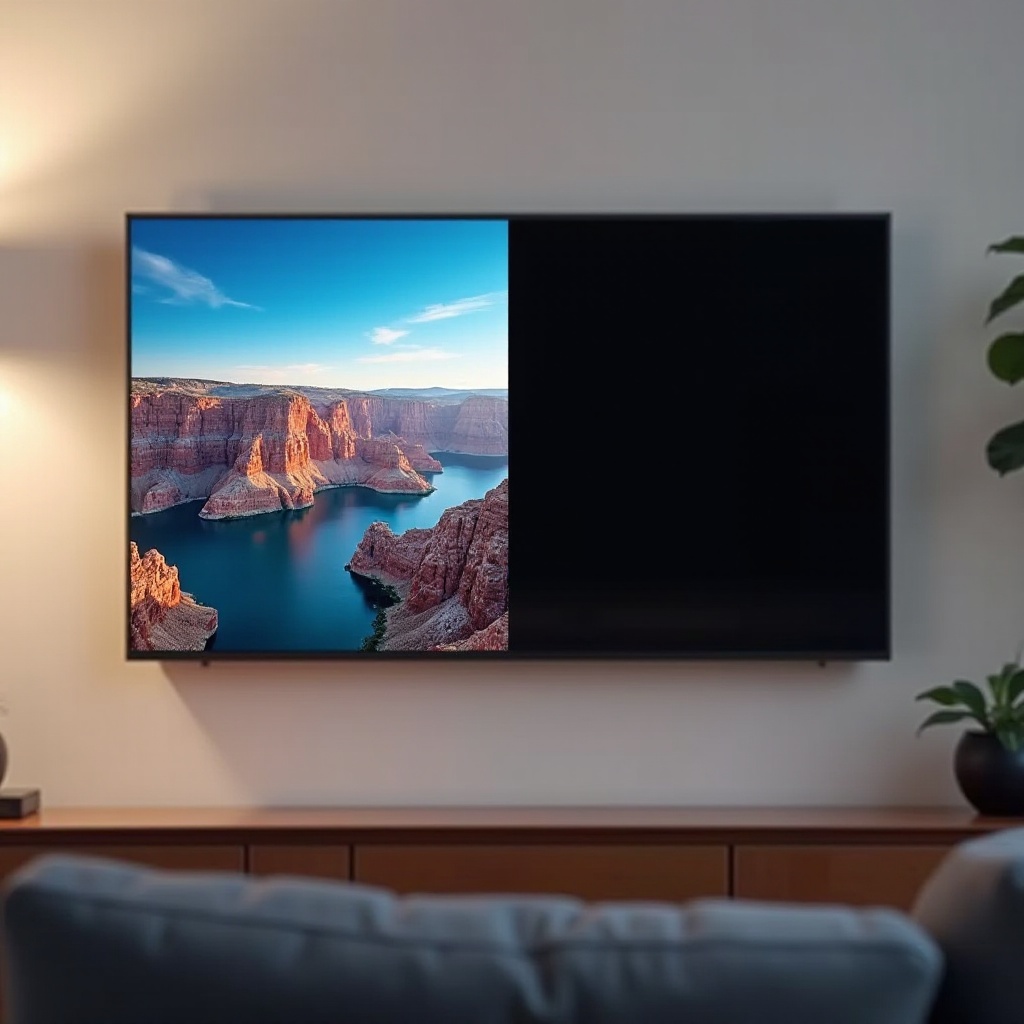
Nothing is more frustrating than settling in to watch your favorite show only to find that half of your LG TV screen is black. This problem can stem from a variety of causes, from minor cable issues to more significant hardware or software malfunctions. Instead of immediately turning to the expense of a new TV, let’s explore a series of troubleshooting steps and solutions that could restore your screen to its full potential.
Understanding the Black Screen Issue
Getting to the root of why your LG TV’s screen is half black is essential for applying the right fix.
Common Causes of Half-Screen Blackouts
There are a few typical reasons for a half-black screen:
1. Faulty or disconnected HDMI cables can cause a disruption in the signal.
2. Incorrect display settings might inadvertently lead to blackouts.
3. Internal hardware issues, like circuit failures, may also be responsible.
4. Outdated software can sometimes cause this persistent and frustrating issue.
Understanding these causes provides a foundation to apply the correct troubleshooting techniques effectively.
Impact on Viewing Experience
A half-black screen is more than an inconvenience; it fundamentally affects viewing quality. Picture clarity, color accuracy, and overall enjoyment are diminished, prompting the need for a swift resolution.
Initial Troubleshooting Steps
Let’s start with easier troubleshooting methods that could resolve the screen blackout without professional intervention.
Checking Cable Connections
Begin by inspecting all cable connections:
1. Power down your TV before proceeding.
2. Unplug all external connections such as HDMI and power cords.
3. Check each cable for signs of wear or damage. Replace any faulty cables.
4. Reconnect the cables securely.
5. Power the TV back on and see if the issue is resolved.
Secure and functional cables are fundamental before considering more invasive solutions.
Adjusting Display Settings
Next, ensure your display settings are correctly configured:
1. Use your remote to open the TV’s menu.
2. Go to the Picture settings.
3. Verify that the aspect ratio and resolution settings match your input device.
4. Adjust brightness and contrast settings if necessary.
These settings can often reset during updates or unintentionally when managed by other users, so confirming these can rectify the problem.
Performing a Soft Reset
A soft reset can clear common software glitches:
1. Turn off the TV and unplug the power cord.
2. Allow the TV to remain unplugged for at least 10 minutes.
3. Plug the TV back in and turn it on.
Rebooting allows the TV to refresh its settings and can often fix minor, unnoticed problems.
Advanced Solutions for Black Screen Problems
If initial troubleshooting hasn’t resolved the problem, consider these advanced tactics.
How to Conduct a Hard Reset
When softer solutions fail, a hard reset may do the trick:
1. Switch off your TV and unplug it from the power outlet.
2. Press and hold the power button on the TV for 30 seconds.
3. Plug your TV back in and switch it on.
4. Check to see if the screen issue is resolved.
A full hard reset usually sorts out deeper software conflicts that a simple reboot can’t handle.
Updating LG TV Software and Firmware
Ensuring your TV firmware is up to date can address blackouts caused by software:
1. Connect the TV to a stable internet connection.
2. From the settings menu, select ‘All Settings’.
3. Go to ‘General’, then ‘About this TV’.
4. Select ‘Check for Updates’. If updates are available, install them.
5. Restart your TV afterward.
Regular updates provide performance improvements and bug fixes critical to optimal display operation.
Inspecting and Repairing Internal Components
Significant issues might require physical inspection by a qualified technician:
1. Look out for symptoms like flickering, frequent shut-downs, or no response at all.
2. Contact an LG-certified technician for a diagnosis.
3. The technician may need to examine and repair or replace damaged hardware components.
Although professional service comes at a price, it is sometimes the only way to restore normal functionality.
When to Call a Professional Technician
Recognizing when to hand over troubleshooting to a professional ensures the longevity of your TV.
Recognizing Persistent Issues
Persistent black screens, combined with new symptoms like erratic behavior or total screen failure, indicate it’s time for expert help.
Finding Certified LG Repair Centers
Choose a reputable service center carefully:
– Search for certified technicians via LG’s official website.
– Confirm through customer reviews and ratings.
– Ensure the technicians are qualified before proceeding.
Professional diagnosis and repair might reveal hardware issues that can not be addressed with home solutions.
Preventive Measures to Avoid Future Screen Problems
Adopting preventive measures keeps your TV operating smoothly over the long term.
Regular TV Maintenance Tips
Maintaining your TV can prevent a host of common problems:
1. Clean the screen gently with a microfiber cloth.
2. Ensure proper ventilation by keeping vents dust-free.
3. Avoid physical pressure on the screen.
Ideal Environmental Conditions for Your TV
Your TV’s environment plays a crucial role in its health:
1. Position the TV away from direct sunlight.
2. Ensure ambient temperatures are neither too hot nor too cold.
Using Surge Protectors and Other Protective Equipment
Electrical components are sensitive to power fluctuations:
1. Use surge protectors to ward off power spikes.
2. Consider a UPS system for constant voltage.
3. Disconnect the TV during electrical storms.
These measures help safeguard against external disruptions that affect electronics.
Conclusion
By following the outlined troubleshooting and preventive measures, you stand a good chance of resolving the half-black screen issue on your LG TV. While some problems might seem daunting initially, systematic application of these steps often leads to satisfying results. Should these DIY measures fall short, it’s advisable to reach out to certified professionals who can handle more intricate repairs. With regular maintenance and care, your LG TV will continue to provide you with top-quality entertainment.
Frequently Asked Questions
Why is half of my LG TV screen black?
Your LG TV might display a half-black screen due to cable issues, incorrect settings, or internal hardware failures.
Can a software update fix screen issues?
Yes, updating your TV software and firmware can fix glitches causing screen issues.
How much does it cost to repair an LG TV screen?
Repair costs vary based on damage and location, ranging from $100 to $400 or more.